
My 10 Best Parental Control Apps for Android in 2026 (and How to Build One)

According to Fortune Business Insights, the global parental control software market is projected to grow to $4.12 billion by 2034, which is more than twice its 2025 value. Statista also reports that parenting apps generated over $250 million in in-app revenue between January 2024 and July 2025 alone.
This kind of growth signals that not only do parents download these apps; they willingly pay for them.
Android plays a major role in this opportunity. The platform represents a huge share of global mobile users, and some Android devices already support built-in parental control functionality. This combination of massive reach and native OS support makes Android a particularly compelling platform for new products in this space.
For entrepreneurs and product teams, the opportunity is clear: with the right strategy and development partner, it’s possible to build a parental control app that taps into a fast-growing market.
Interested in building one?
In this guide, I'll first look at the top parental control applications on Android to understand what’s already working in the market. Then, I'll walk you through how to plan and build your own parental control app, step by step.
In this article:
- What is a Parental Control App?
- 10 Best Parental Control Apps for Android
- Parental Control Apps: Market Positioning Map
- The Android Reality: Constraints Every Parental Control App Must Handle
- How to Build a Parental Control App
- Build Your Parental Control App for Android with DevTeam.Space
- FAQs About the Best Parental Control Apps on Android
What is a Parental Control App?
A parental control app is software that allows parents or guardians to monitor and manage how children use their devices. At its core, these apps help families set boundaries, improve online safety, and create healthier digital habits.
Most parental control apps focus on a common set of capabilities, including:
- Screen time management to set screen time limits or schedules
- App and web filtering to block inappropriate content
- Location tracking to help parents know where their children are
- Activity reports and alerts that summarize how devices are being used
Demand for these tools is already widespread. A study cited by University College London found that up to 80% of parents use apps to protect their children’s safety, security, and privacy.
With adoption this high, the category is established, competitive, and full of mature products, like these ten apps below.
10 Best Parental Control Apps for Android
If you want to build a parental control app, the smartest place to start isn’t with technology. It’s with the competition.

Get a complimentary discovery call and a free ballpark estimate for your project
Trusted by 100x of startups and companies like



The Android ecosystem already includes products from Big Tech, cybersecurity giants, and specialized startups. Each of them has made deliberate product decisions about what to monitor, how much control to give parents, and where to draw the line between safety and trust.
Why these apps made the list
I selected these parental monitoring apps for Android based on six criteria: core functionality coverage, Android integration and reliability, advanced safety and monitoring features, parent UX, differentiation, and market traction.
Each app solves real-world problems for parents while highlighting different approaches that founders and technical decision-makers can learn from when planning their own Android parental control app.
Here are the Android apps currently shaping the category.
1. Google Family Link
Best for: Seamless Android integration and simple device control
Google Family Link leverages deep Android integration to provide reliable system-level controls. Parents can approve or block apps, enforce time limits, and pause devices without relying on workarounds.
Key capabilities include:
- Seamless app approvals and system-level blocking through OS integration
- Reports showing which apps children use and for how long
- The ability for parents to remotely lock or instantly pause a device
Takeaway for founders:
Shows the value of building tightly with the OS, as integration reduces bypass risk and improves reliability.
2. Qustodio
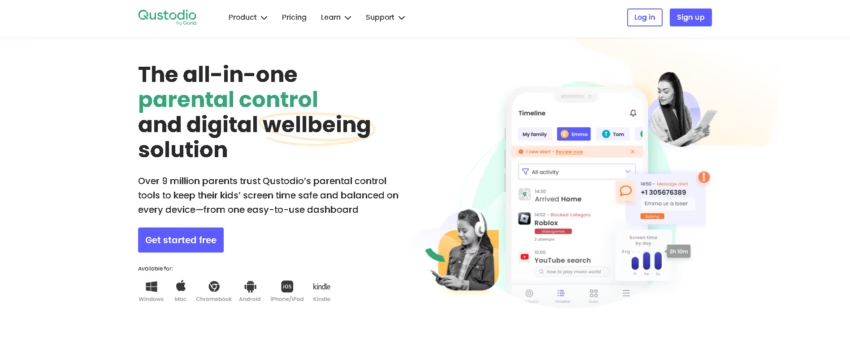
Best for: Comprehensive monitoring dashboards
Qustodio delivers detailed insights into app and web activity, including SOS alerts and location tracking. Its dashboards make it easy for parents to understand usage patterns across multiple devices.
Key capabilities include:
- Detailed breakdowns of apps used and websites visited
- An Android-exclusive SOS alert that sends a child’s exact location to parents
- Monitoring of calls and the content of SMS messages
Takeaway for founders:
Demonstrates that a full-featured visibility tool can command premium pricing and that UX for parents matters as much as core functionality.
3. Bark
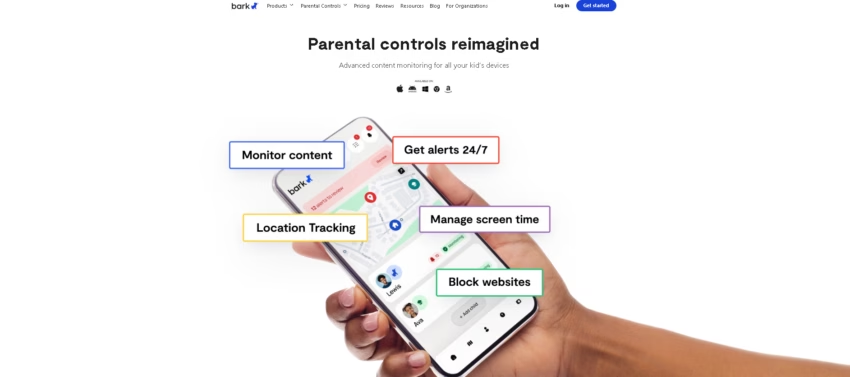
Best for: AI-powered risk detection and trust-based monitoring
Bark scans social media, texts, and emails to flag risks like cyberbullying or self-harm. By alerting only on potential issues, it preserves privacy and builds trust with older children.
Key capabilities include:
- Scans 30+ social media platforms and alerts parents to risks like cyberbullying or self-harm
- Avoids showing every message, helping maintain trust with teens
- Detects signs of anxiety or depression through digital interactions
Takeaway for founders:
Trust-based monitoring differentiates the product; using AI to focus on actionable risks improves engagement without overwhelming parents.
4. Aura
Best for: Bundled family safety with cybersecurity integration
Aura combines parental controls with identity theft protection, antivirus, and VPN services. It monitors gaming environments and uses AI to suggest age-appropriate screen time, positioning it as a holistic family safety solution.
Key capabilities include:
- Bundles parental controls with identity theft protection, antivirus, and VPN services
- Monitors voice and text chat in 200+ popular PC games for predators or bullying
- Uses AI to suggest age-appropriate screen time limits
Takeaway for founders:
Bundling complementary digital safety services can expand market appeal and create a "must-have" family utility.
5. Norton Family
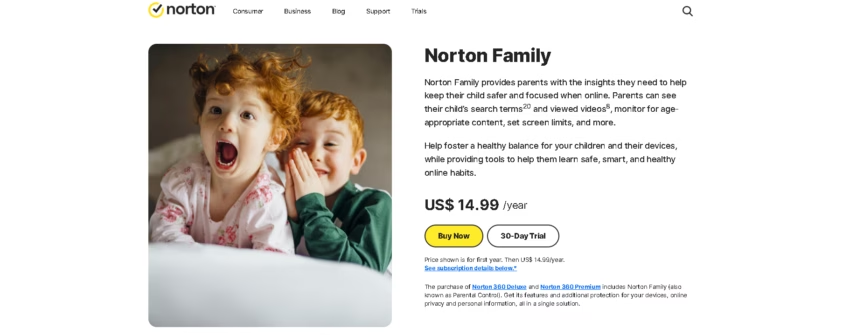
Best for: Situational control and remote learning support
Norton Family excels at context-sensitive parental control. Parents can filter search terms, monitor YouTube, and enable "School Time" modes that block only specific distractions. Children can request access to apps or websites in real time.
Key capabilities include:
- Search term filtering and YouTube viewing history monitoring
- A "School Time" mode that allows access only to educational sites
- Real-time requests from kids to unblock specific apps or websites
Takeaway for founders:
Situational features solve precise pain points. Flexible controls can improve adoption and parent satisfaction.
6. Microsoft Family Safety
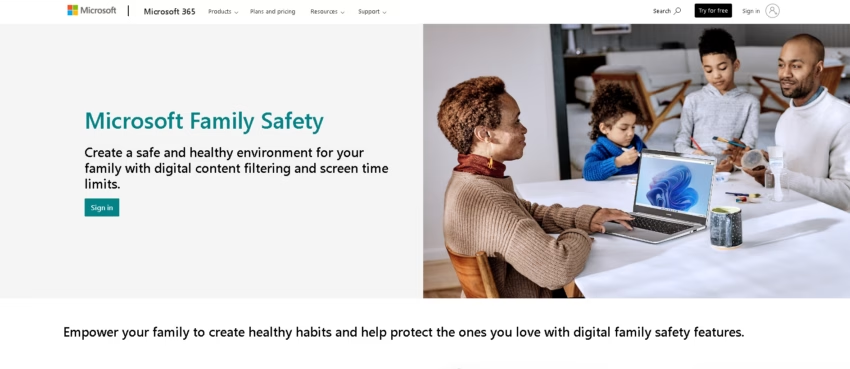
Best for: Cross-platform family ecosystems
Microsoft Family Safety extends parental control to PCs and Xbox consoles. Parents can sync screen time limits, set geofencing alerts, and track location across multiple devices, ideal for families using multiple platforms.
Key capabilities include:
- Syncs screen time limits across Android phones, Windows PCs, and Xbox consoles
- Family Map with geofencing alerts for arrivals and departures
- Integration with Microsoft Edge for web filtering and search blocking
Takeaway for founders:
Cross-platform integration is increasingly important; products that span devices create stickier adoption and higher perceived value.
7. Net Nanny
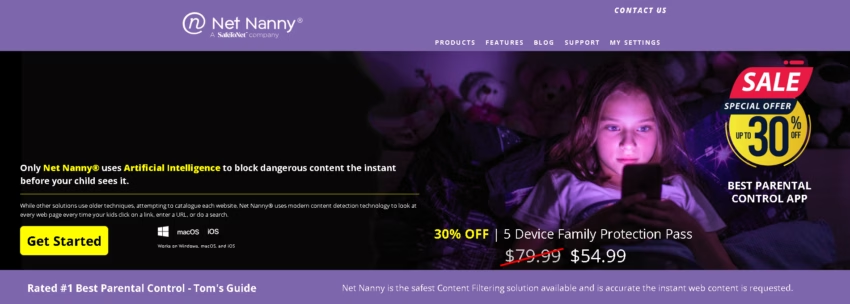
Best for: Robust content filtering and app management
Net Nanny provides category-based web filtering, app blocking, uninstall protection, and detailed activity reports. It offers granular control over digital behavior and usage across devices.
Key capabilities include:
- Website and app filtering using category rules and custom keywords
- Screen time scheduling and activity reports
- Location tracking and history
Takeaway for founders:
Reliability and granular control are key differentiators. Effective filtering is a strong market advantage.
8. Mobicip
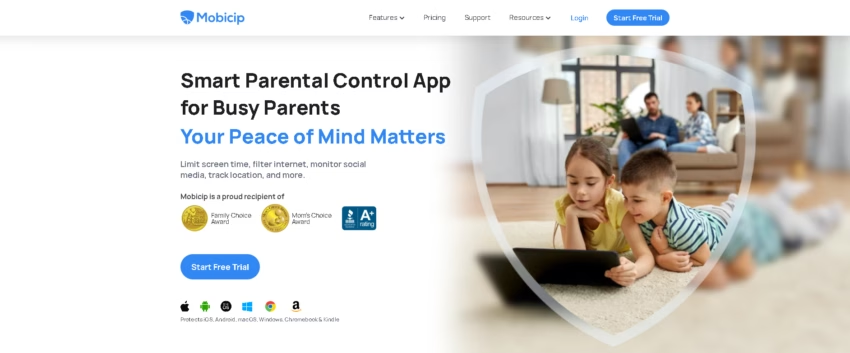
Best for: Real-time location and usage monitoring
Mobicip combines app and web filtering with geofencing and location alerts. Parents receive instant notifications when devices enter unsafe zones or attempt unauthorized changes.
Key capabilities include:
- Web and app filtering with screen time limits
- GPS tracking and geofencing alerts
- Instant internet pause and alerts when new apps are installed
Takeaway for founders:
Real-time alerts and geofencing provide tangible safety benefits, demonstrating value for parents.
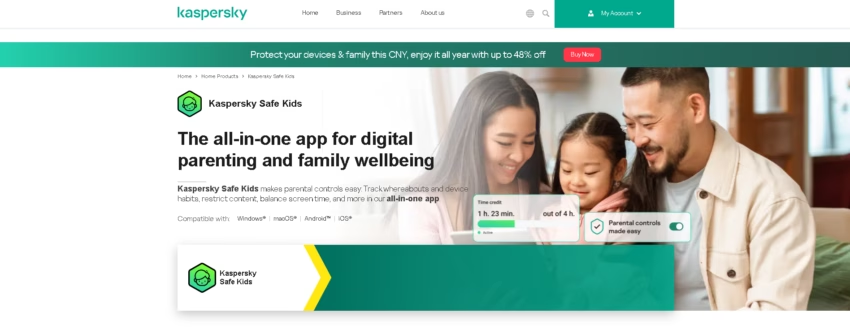
9. Kaspersky Safe Kids
Best for: Ecosystem integration and YouTube safety
Kaspersky Safe Kids tracks app and web activity, social media, and YouTube interactions. It provides location alerts and device status reporting, helping parents balance safety and independence.
Key capabilities include:
- Web and app filtering, screen time scheduling, and activity reports
- Location tracking with geofenced “Allowed Areas” and battery monitoring
- YouTube Safe Search and monitoring of watch and search history
Takeaway for founders:
Integration across platforms and services improves trust and reliability; ecosystem support enhances perceived value.
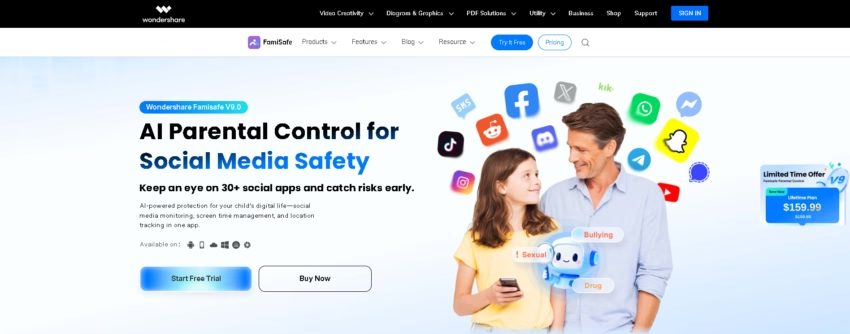
10. FamiSafe
Best for: Advanced digital and real-world safety monitoring
FamiSafe combines app and web filtering, screen time management, social media monitoring, and driving behavior alerts. Parents can monitor multiple devices and receive real-time insights.
1,200 top developers
us since 2016
Key capabilities include:
- Web filtering, app blocking, and screen time management
- Real-time geofencing and detailed location tracking
- Driving monitoring with speed alerts and driving history
- TikTok/YouTube monitoring and remote screen viewing on Android
Takeaway for founders:
Offering both digital and physical safety features differentiates the product and expands its market appeal.
Parental Control Apps: Market Positioning Map
| App | Android Integration | Advanced Monitoring | Unique Differentiation |
| Google Family Link | OS-level integration, seamless | Basic screen time, app approvals | Best for core Android reliability |
| Qustodio | Strong | Detailed app/web usage, SOS alerts, call & text monitoring | Comprehensive dashboards for parents; premium positioning |
| Bark | Limited OS-level | AI risk detection, social media, texts | Trust-based monitoring for teens; flags only risky activity |
| Aura | Moderate | In-game chat monitoring, age-based screen time | Bundles identity theft, antivirus, VPN; holistic family safety |
| Norton Family | Limited OS-level | App/web filtering, YouTube monitoring | Situational modes ("School Time") for context-sensitive control |
| Microsoft Family Safety | Moderate | Cross-device sync, location alerts | Best for multi-platform families (Windows, Xbox, Android) |
| Net Nanny | Moderate | Web/app filtering, uninstall protection | Strong reliability and granular parental control |
| Mobicip | Moderate | Geofencing, GPS alerts, app monitoring | Real-time notifications and location safety focus |
| Kaspersky Safe Kids | Moderate | Web/app/social media monitoring, geofencing | Ecosystem integrations, battery tracking, YouTube monitoring |
| FamiSafe | Moderate | Driving alerts, TikTok/YouTube monitoring, and remote Screen Viewer | Combines digital and physical safety; advanced monitoring for teens |
What These Apps Have in Common And What That Means for Builders
Looking across the leading parental control apps, a clear pattern emerges. While each product has its own positioning and feature emphasis, they all rely on a surprisingly similar technical foundation that covers:
- Deep visibility into device activity
- Continuous background monitoring
- Real-time alerts and reporting
- Strong privacy and data protection safeguards
- Careful UX design that balances oversight with trust
In other words, it's not about whether these capabilities exist. The real differentiator is how reliably and responsibly they’re implemented.
And this is where many new parental control app projects hit a wall.
From the outside, these products look like standard mobile apps with a few extra monitoring features. But in reality, they navigate Android-specific constraints that make parental control apps one of the most technically demanding Android app categories to build.
The Android Reality: Constraints Every Parental Control App Must Handle
Android parental control apps are not typical mobile products. Behind the familiar dashboards and alerts sits a category shaped by strict platform rules, sensitive data, and constant change. And before diving into how to build one, it’s important to understand the Android-specific constraints that shape every successful parental control app.
1. OS-level permissions and system restrictions
Parental control apps depend on deep device access, but Android intentionally limits what third-party apps can do.
Built-in solutions like Google Family Link benefit from system-level integration that allows seamless app approvals, device locking, and stronger enforcement. But third-party apps must work within Android permissions and approved APIs, and some capabilities vary depending on OS version or device manufacturer.
This has a direct impact on product planning. This means that feature feasibility must be validated early against platform limitations.
2. The "cat-and-mouse" problem
Unlike most apps, parental control tools are often used by people who actively try to bypass them.
Common workarounds include uninstalling the app and using Safe Mode. Some users also switch to alternate browsers or VPNs and disable permissions on their mobile devices.
With this "cat-and-mouse" dynamic, reliability becomes a core product requirement. Consequently, preventing bypass attempts becomes something that requires thoughtful design and continuous updates.
3. Android device fragmentation
Android is not a single device or a single OS version. Parental control apps must work across:
- A wide range of manufacturers
- Multiple Android versions running simultaneously
- Different hardware and software behaviors
What this does is dramatically increase testing and quality assurance requirements, which then require device coverage to be a major part of the project.
4. Privacy, trust, and sensitive data
Many parental control apps handle some of the most sensitive data a consumer app can collect, such as location information, messages and communications, browsing and app usage, and behavioral insights.
Because of this, trust turns into a product feature. Clear consent flows, transparent communication, and privacy-first design are essential to long-term adoption.
5. Continuous maintenance is mandatory
Parental control apps are not "build once and launch" products, especially since Android updates can break functionality. New apps and platforms constantly appear, so monitoring and filtering must evolve to stay effective and relevant.
Successful products in this category should factor in ongoing iteration and maintenance from day one.
Now, what's good is that all of these constraints don’t automatically make parental control apps impossible to build. But they do mean success requires careful planning and the right development approach.
How to Build a Parental Control App
Building a parental control app is very different from building a typical mobile app. You’re designing a product that sits at the intersection of digital safety, privacy, operating system restrictions, and family trust.
Here's how you can approach the process.
1. Define your product scope
Start by identifying the key features parents consistently expect from modern parental control software. At a minimum, most parents want the ability to:
- Manage screen time and set time limits for smartphone usage
- Block apps and filter websites with adult content and other unsafe materials
- Track a child’s location and location history
- Restrict usage on school nights but relax limits during holidays
- Share parental permissions with partners
- Receive real-time alerts and activity reports about risky behavior
- Monitor app usage, web searches, and children’s online activity
- Upgrade easily via in-app subscriptions (free version → premium)
So before writing a single line of code, decide which of these capability areas your product will truly own.
Because while many parental control apps offer all of these features, the most successful products rarely start by trying to be everything at once. Instead, they choose a clear product direction and build depth in that area first.
For example, some apps focus on deep device control and OS-level integration. Google Family Link is a strong example of this approach, with remote locking, app approvals, and pause functionality tightly integrated into Android devices.
Others position themselves as all-in-one visibility platforms. Qustodio, Net Nanny, and Kaspersky Safe Kids emphasize detailed activity dashboards, web filtering, and monitoring tools that give parents a comprehensive view of their child’s digital activities.
Some products lean toward real-world safety and location intelligence. Apps like Mobicip and FamiSafe combine screen time tools with GPS tracking, geofencing, and driving or movement alerts to extend protection beyond the child’s device.
And then there are apps that prioritize trust-based monitoring and smart alerts. Bark, for instance, focuses on detecting risks like online bullying or self-harm instead of showing parents every message, demonstrating a different philosophy of digital safety.
Defining your product scope means deciding which of these directions best aligns with your vision, target users, and business strategy. Once that direction is clear, the rest of the development decisions, from architecture to UX, become significantly easier to make.
2. Prioritize trust and privacy
Parental control apps must balance oversight with respect for a child’s independence. Remember: the most successful monitoring apps avoid turning into surveillance tools. And many parental control apps fail not because of missing features, but because they feel intrusive.
This means deciding carefully which data should be visible vs summarized, when to alert parents vs when to remain silent, and how to support digital safety without eroding trust.
Bark offers a strong example: instead of exposing all messages, it uses AI to flag only risky content like cyberbullying, self-harm, or contact from online predators. This trust-based approach resonates with modern families navigating the online world.
3. Choose your differentiation
The market already has many parental control apps offering similar fundamentals. Success comes from solving a specific high-value problem better than competitors.

Examples of differentiation in the market:
- Aura bundles parental controls with identity theft protection, antivirus, and VPN services.
- Norton Family introduced School Time mode, which filters distractions instead of blocking the entire device, making it ideal for hybrid learning.
- Net Nanny is known for strong content filtering and real-time web filtering powered by AI.
- Mobicip focuses heavily on safe browsing and filtering YouTube videos and social media platforms.
- Kaspersky Safe Kids stands out with affordability and support for unlimited children.
Trying to build all the features at once usually leads to bloated products. A powerful parental control app wins by doing a few things exceptionally well.
4. Plan OS and device integration early
Technical architecture decisions made early will shape the entire product.
Key considerations include:
- Native vs cross-platform development
- Deep Android integration vs SDK-based approaches
- Synchronization across iOS and Android devices
Strong integration helps parents control apps remotely and prevents children from bypassing restrictions.
5. Implement backend and analytics
The backend powers reporting, alerts, AI features, and subscription management.
Typical backend responsibilities include activity data processing, real-time alerts, push notifications, subscription billing, and AI-driven automation.
AI should only be added if it solves a real parental pain point; otherwise, it becomes unnecessary complexity.
6. Be intentional about UI/UX design
Parents need clarity. Children need subtlety. Good design supports both.
Important UX flows include:
- Approval requests
- Screen time dashboards
- Alerts and activity reports
- Access requests from children
A good parental control mobile app should feel helpful, not overwhelming.
7. Strategize security and compliance early
Security is non-negotiable for any app handling a child’s digital activities.
Your product must focus on encryption and secure authentication, as well as privacy-by-design architecture. Compliance with COPPA, GDPR-K, and child data regulations is also a must.
Family-focused products succeed only when parents trust them.
8. Test aggressively during MVP launch
Once you launch your MVP, make sure your testing is comprehensive. Test across multiple Android devices and OS versions, and incorporate bypass-prevention testing into the process. And always ground your tests in real-world family usage scenarios.
Parental control apps operate in complex environments, and testing must reflect that reality.
9. Plan for maintenance and scaling
Launching is only the beginning. Long-term success requires adapting to OS updates, keeping up with regulatory changes, and expanding advanced features over time.
The best parental control software evolves continuously as children’s online behavior, new social platforms, and digital threats change.
Build Your Parental Control App for Android with DevTeam.Space
DevTeam.Space has the expertise to help you build a competitive parental control app because we offer:
Specific domain expertise
Parental control apps require deep experience with Android system behaviors, background processes, monitoring workflows, and privacy-first architecture. Our Android developers understand the technical and product challenges unique to digital safety, monitoring apps, and family-focused mobile platforms.
AI-powered Agile process
Our proprietary AI-powered Agile platform helps plan, track, and optimize development in real time. This means predictable delivery, transparent progress, and faster iteration—especially important for products that must evolve alongside OS updates and changing regulations.
Security and IP protection
Parental control software handles highly sensitive data about children’s online activity, location, and communication patterns. We build with security and privacy by design, using strong encryption, secure authentication, and best practices for protecting intellectual property.
99% project success rate
We use rigorous vetting and structured development workflows to ensure high-quality delivery and long-term reliability. For founders and technical decision-makers, this reduces the risk that commonly derails complex mobile projects.
No-risk trial period
You can start working with our developers with confidence. Our trial period lets you evaluate the collaboration and technical fit before making a long-term commitment.
Ready to get started?
Submit a hiring request and begin building your parental control app with a vetted, experienced Android development team.
FAQs About the Best Parental Control Apps on Android
DevTeam.Space is a strong partner for building parental control apps for Android because we combine vetted senior talent, full-stack delivery, and end-to-end support tailored to complex mobile products. Since our inception, we have also shipped over 400 successful products for both early-stage startups and enterprises like Samsung and Disney.
Here’s what we offer:
✓ Pre-vetted senior developers who can be onboarded in 48–72 hours, so projects start quickly
✓ A full-stack team that includes business analysts, tech account managers, QA specialists, and developers working together
✓ Experience from nearly 400 delivered projects, giving founders confidence in execution
✓ End-to-end support, from discovery and planning to scaling and maintenance
✓ A no-risk trial period so you can validate the collaboration before committing long-term
To start, just submit a hiring request!
Yes, a parental control app can be built in under six months, depending on the scope, but advanced monitoring and cross-device capabilities typically require longer timelines of up to 12 months or more.
Typical development timelines include:
✓ Simple MVP (2–4 months): screen time limits, an app blocker, basic web filtering, and instant notifications
✓ Medium complexity (4–7 months): GPS tracking, geofencing, custom dashboards, and deeper monitoring of a child’s phone.
✓ Large-scale platforms (7–12+ months): AI risk detection, social media apps monitoring, and multi-device sync.
Stakeholders should evaluate parental control apps using a balanced set of financial, product, technical, and compliance metrics to ensure long-term viability.
Key metrics include:
✓ Financial metrics: trial-to-paid conversion, CAC, and lifetime value
✓ Engagement metrics: churn rate, DAU/MAU ratio, and feature adoption
✓ Technical performance: onboarding completion, app stability, and reliability of instant notifications
✓ Compliance readiness: privacy safeguards, child safety practices, and app store policy alignment
The most competitive parental control apps prioritize features that protect children while giving parents clear visibility and control over a child’s phone and digital behavior. Priority features include:
✓ Dynamic screen time scheduling and usage limits for a child’s Android device
✓ A reliable app blocker that lets parents restrict certain apps and manage access to other apps
✓ Category-based content filtering to block unsafe websites and adult content
✓ Real-time GPS tracking and geofencing to monitor a child’s location
✓ Instant notifications when kids attempt to install new apps or change settings
✓ Monitoring of social media apps, calls, and the child’s text messages to detect risky behavior
✓ AI-powered alerts that surface potential cyberbullying or harmful interactions early
Yes, subscription pricing is a proven and highly effective business model for parental control apps because it enables recurring revenue and tiered value delivery.
Subscription models support:
✓ Recurring revenue tied to continuous monitoring and instant notifications
✓ Tiered plans that unlock advanced monitoring for multiple Android users and devices
✓ Premium features such as monitoring calls, social media apps, and text messages
✓ Upsell paths that add coverage for multiple children and additional devices
Parental control apps can deliver significant ROI when supported by a strong product strategy, subscription monetization, and long-term maintenance.
Key ROI drivers include:
✓ Subscription pricing strategy and billing channels
✓ Customer tenure and retention optimization
✓ Continuous feature expansion and platform updates
✓ Choosing a development partner capable of scaling and maintaining the product long-term

Alexey Semeney
Founder of DevTeam.Space



Hire Alexey and His Team To Build a Great Product
Alexey is the founder of DevTeam.Space. He is award nominee among TOP 26 mentors of FI's 'Global Startup Mentor Awards'.
Alexey is Expert Startup Review Panel member and advices the oldest angel investment group in Silicon Valley on products investment deals.