8 Vibe Coding Tools I Tested to Help You Build Faster in 2026

Elite Brains data shows that as of 2025, roughly 41% of code worldwide is now AI-generated. This is clear proof of a paradigm change: development workflows are now shifting from manual line-by-line coding to higher-level collaboration with AI. Within this shift, vibe coding has emerged as a way to validate ideas quickly.
Vibe coding tools let you describe what you want to build in plain English, and AI generates a working prototype.
Need a task manager with calendar sync? Describe it, and you'll have something clickable in minutes.
But here's the reality.
These tools don't produce commercial products, despite what the sales pitches say.
What you get are likely half-ready apps with limited features, unreliable security, and a UI that will likely fall apart under the weight of real users.
That's why I have tested tens of vibe coding tools and came up with the 8 best that can help you build faster in 2026. I'll explore deeper where each one fits, and tell you exactly when to stop using them and bring in expert developers.
Click here to jump to the vetted list.
In this article:
- Quick Comparison: Top Vibe Coding Tools by Use Case
- What are Vibe Coding Tools?
- How Vibe Coding Tools Differ from Other AI Development Tools
- Who These Tools are for (And Who They're Not for)
- What Vibe Coding Actually Produces
- 8 Best Vibe Coding Tools I Recommend You Try in 2026
- How to Choose the Vibe Coding Tool for Your Needs
- How Expensive is Vibe Coding?
- When to Stop Vibe Coding and Hire Developers
- Start with Vibe Coding, But Don’t Stop There
- FAQs About Vibe Coding Tools
Quick Comparison: Top Vibe Coding Tools by Use Case
| Tool | Best For | Pricing | Standout Feature | Learning Curve |
|---|---|---|---|---|
| Replit | Learning and prototyping | Free (or from $20/month) | Browser-based collaboration | Easy |
| Lovable | Testing ideas | Free (or from $25/month) | Visual UI editor | Easy |
| Bolt | Turning Figma design into a prototype | Free to try; pro version $25/month | Direct Figma import | Easy |
| v0 by Vercel | UI component building | Free (or from $20/month) | React component generation | Easy |
| TempoLabs | Team collaboration | Free (or from $30/month) | Real-time multiplayer editing | Moderate |
| Base44 | All-in-one package | Free to start (or from $25/mo) | Fully bundled backend | Easy |
| Dyad | Privacy/local development | Free to start (plans begin $20/mo) | Runs entirely on your machine | Moderate |
| Mocha | Validating ideas | Free (or from $20/month) | Zero configuration | Easy |
What are Vibe Coding Tools?
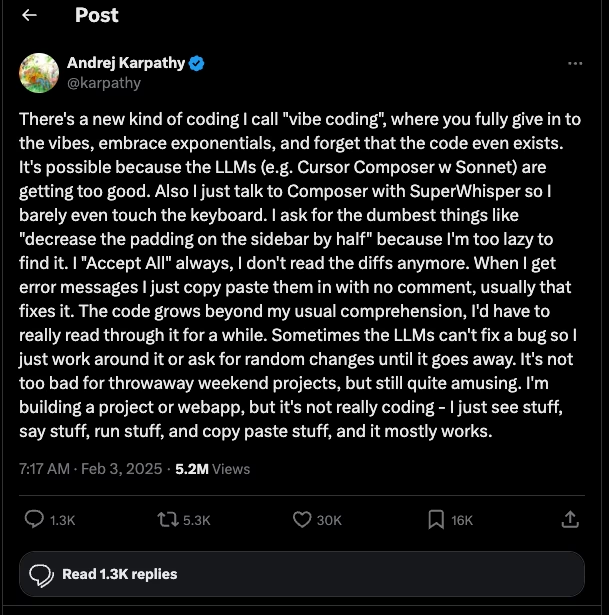
Image Source: X.com

Get a complimentary discovery call and a free ballpark estimate for your project
Trusted by 100x of startups and companies like



Vibe coding tools convert natural language descriptions into a working app. Put simply, you tell them what you need and they generate a UI with functioning code that tries to fulfill your request.
While different vibe coding tools have a similar end goal, they approach the process differently. Some share similar functionalities, but certain elements like code completion, security, and deployment might be available in one tool and paywalled in the next.
How Vibe Coding Tools Differ from Other AI Development Tools
vs. AI Coding Assistants (e.g., Cursor, Copilot, Claude Code):
Vibe coding tools help non-developers create code for a “functioning” app, even if they can’t understand or fix it. On the other hand, AI assistants are like “electronic teammates” or AI pair-programmers that help developers work faster.
When building apps with a vibe coding tool, you still need a software development expert to double-check code quality. However, AI coding assistants are often capable of performing this function, so AI developers can focus on implementing more complex functions.
vs. Chat-based Code Generation (e.g. ChatGPT):
While you can paste code on ChatGPT (and other large language models) and ask it for corrections, ChatGPT still needs context for it to be able to return an accurate fix. LLMs also give isolated code snippets you have to paste manually, which means there’s a high chance it won’t work with your existing project.
Vibe coding tools, on the other hand, manage the full project context. It provides functional code that can theoretically work across multiple files, folder structures, and dependencies.
vs. No-code Platforms (e.g., Bubble, Webflow):
No-code platforms also let users build web apps with natural language descriptions, with writing code out of the question. However, these platforms often lock users into their hosting and visual builders. If you want to try another tool or tech stack, it better support your platform.
On the other hand, vibe coding tools can generate actual code you can export and take to a separate project.
Who These Tools are for (And Who They're Not for)
Vibe coding artificial intelligence tools serve a specific purpose: rapid prototyping for validation.
They're good for:
- Non-technical founders trying to validate an idea without writing code
- Businesses that need to build a snappy internal tool for a quick win
- Teams prototyping to see if it works before getting real stakeholders involved
- Solo programmers who know how to review the code (but are short on time)
They're not a fit for:
- Anyone expecting to build commercial products without developers
- Projects that need security or compliance checks
- Anything that's customer-facing (App Store submissions, payment processing)
- Projects that need complex AI features
- Long-lived codebases that are going to need regular maintenance and new features
If you're building something customers will use and pay for, you need AI development experts. These get you to the validation stage fast, but it doesn't replace engineering expertise.
What Vibe Coding Actually Produces
I will be honest about what vibe coding AI tools actually deliver. The marketing hype says you can build commercial products without ever writing a line of code and with minimal human intervention. Well, that's not true.
Vibe coding produces an app with “some” functionality built in. But it’s not market-ready unless an AI engineer or dev checks its existing code for bugs, ensures there are no security risks, its UI is serviceable, and all the tools are working as intended. Vibe-coded apps are good for test users, but they will inevitably fail under production load.
Here’s why:
- No input validation, so your app is vulnerable to basic attacks
- No proper encryption; this is something an expert has to check
- Redundant functions and slow database queries
- No App Store submission
- No payment processing integrations
- No custom business logic beyond templates
- Lack of professional UI/UX for customer-facing products
When you build a vibe-coded app, remember that you still need an AI development team to fix any errors and ensure it’s ready for your users.
8 Best Vibe Coding Tools I Recommend You Try in 2026
1. Replit - Best for Getting Started
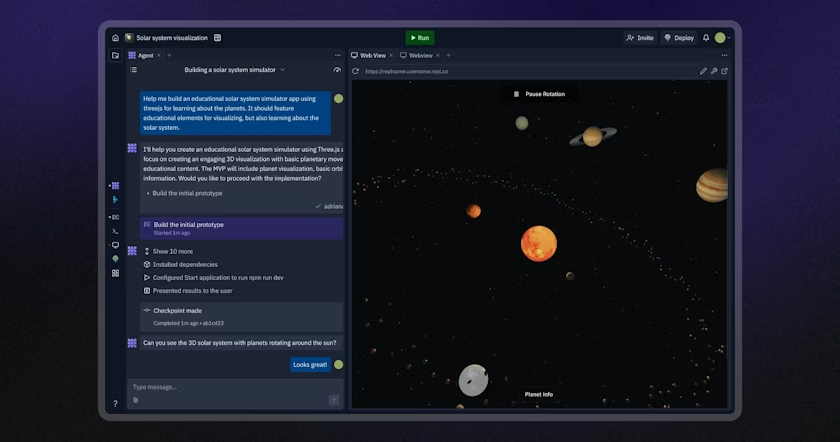
Replit is a browser-based development environment with Ghostwriter AI built in. You simply describe what you want with natural language, and it generates code while configuring your database, authentication, and hosting automatically. Everything runs in the browser - no local setup, no terminal, no deployment scripts.
The thing that makes Replit stand out is its attempt to take all the friction away. You open a tab and start building. This makes it a great option for non-tech founders testing ideas. It's built for rapid prototyping, educational projects, and proof-of-concept demos.
But just like any convenience, that same ease of use becomes a limitation as your project grows. Replit locks you into their infrastructure - you can't configure servers, customize deployment pipelines, or control scaling policies. Migrating a mature Replit project to AWS or self-managed hosting typically requires reworking deployment logic and reconfiguring services from scratch.
So, I wouldn't recommend Replit if you're building something intended for production. It's not a good fit for apps that require performance tuning, security audits, compliance requirements, or custom DevOps.
Features
- Ghostwriter AI coding assistant
- Real-time multiplayer editing
- One-click deployment
- Pre-configured authentication and database
| Pros | Cons |
| ✔ Zero setup ✔ Real-time collaboration with multiple devs ✔ Supports 50+ programming languages | ✖ Locked into Replit's hosting and infrastructure ✖ Limited performance for large/complex codebases ✖ Difficult to migrate to external hosting or cloud providers ✖ Not a substitute for serious production systems |
Why I picked Replit
Replit removes every technical barrier to building something fast, making it one of the easiest ways to start vibe coding. It's an excellent choice for learning and prototyping, as long as you plan to rebuild or migrate before going to production.
2. Lovable.dev - Best for Non-Technical Founders
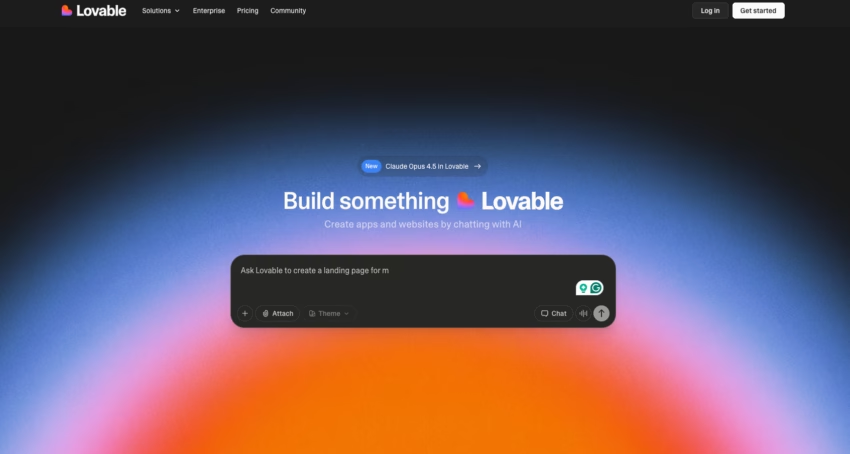
Lovable.dev helps non-technical founders build functional prototypes without hiring developers upfront. Again, you just describe what you want in plain English, and Lovable generates a working app with a visual editor for modifications.
What sets Lovable apart is its massive template library combined with an intuitive visual editor. You get pre-built templates for admin dashboards, client portals, task managers, and CRM tools. If you're a small team trying to figure out whether a product idea will fly, Lovable can create a prototype to get feedback from stakeholders. Then you can decide whether to bring in a development team to custom-code it.
But don't expect Lovable to handle any apps that need to go live to customers or have serious business logic requirements. Lovable generates code, but you won't have a say in the underlying architecture, database queries, or implementing custom security beyond what Supabase gives you.
If your app needs payment processing, complicated user permissions, third-party API integrations, or compliance requirements, you'll hit a brick wall pretty quickly. At that point, developers either extend the codebase (difficult) or rebuild from scratch (expensive).
Features
- A visual editor that lets you click and point your way to changes
- Pre-built templates for dashboards, portals, and those CRUD apps everyone loves
- Supabase integration for database and authentication
- GitHub connection for version control
- Shared workspaces for collaborators
- One-click deploy
| Pros | Cons |
| ✔ Free - perfect for testing ideas ✔ Modern UI ✔ Fast iteration through visual editing | ✖ Limited by the templates ✖ Hits a ceiling pretty fast ✖ Need devs to migrate to proper infrastructure ✖ Not suitable for apps with heavy customisation |
Why I picked Lovable.dev
Lovable has the right balance of ease of use and flexibility for non technical people who need to get coding fast. The visual editor combined with AI generation is a great combo for non-coders. However, just remember you'll need developers to sort out your project if it gets more complicated.
3. Bolt.new - Best for Figma Integration
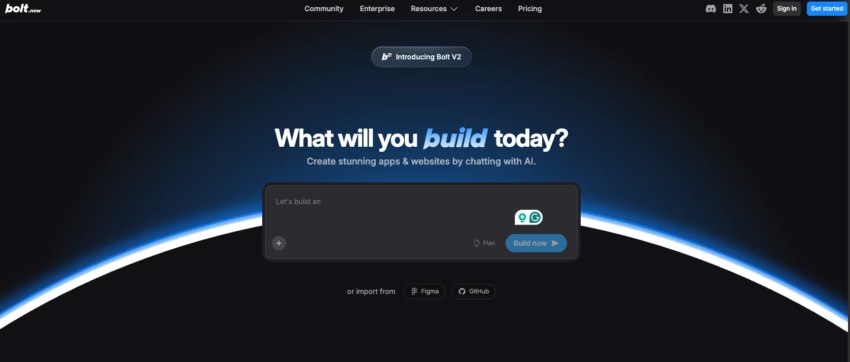
Bolt.new takes your Figma designs and turns them into working prototypes. Just import a Figma URL, and Bolt gives you a working app with state management, routing, and styling all sorted. This is perfect for designers who need to test out interactions before handing over to devs, or building a simple full-stack app where the design is already all done.
What makes Bolt new is that it converts design files into actual code. Most ask you to describe what you want in plain English - but Bolt lets you skip that altogether. If you've already got a design in Figma, Bolt can turn that into React components with working interactions.
The workflow is all browser-based, so you can iterate fast - make a change in Figma, re-import, and see the results right away. And if you need to impress a client with a working prototype, you can deploy to Netlify with one click.
However, you shouldn't use Bolt to build any apps that need complex backend logic or data processing. Bolt is great at converting designs into front-end code - but it gets a bit lost with complicated state management, API integrations, or performance tweaks.
1,200 top developers
us since 2016
Once your prototype needs backend logic, authentication flows, or database schema beyond what Supabase templates provide, you need to hire developers who can build production-grade infrastructure.
Features
- Direct import from Figma URL and conversion
- Spin up a full-stack app in your browser in no time
- One-click deploy to Netlify
- Integrations with Supabase, GitHub and Stripe
| Pros | Cons |
| ✔ Converts Figma design to code ✔ All browser-based, so no local install is needed ✔ Fast iteration from design to working prototype ✔ Includes a terminal and file system | ✖ Struggles with complicated apps that need custom logic ✖ Minor design tweaks can introduce bugs that need a full rework ✖ Error recovery is not always reliable |
Why I picked Bolt.new
Bolt.new is the quickest way to turn Figma design into an interactive prototype. It's great for design teams to test concepts before going full development mode.
4. v0 by Vercel - Best for UI Generation
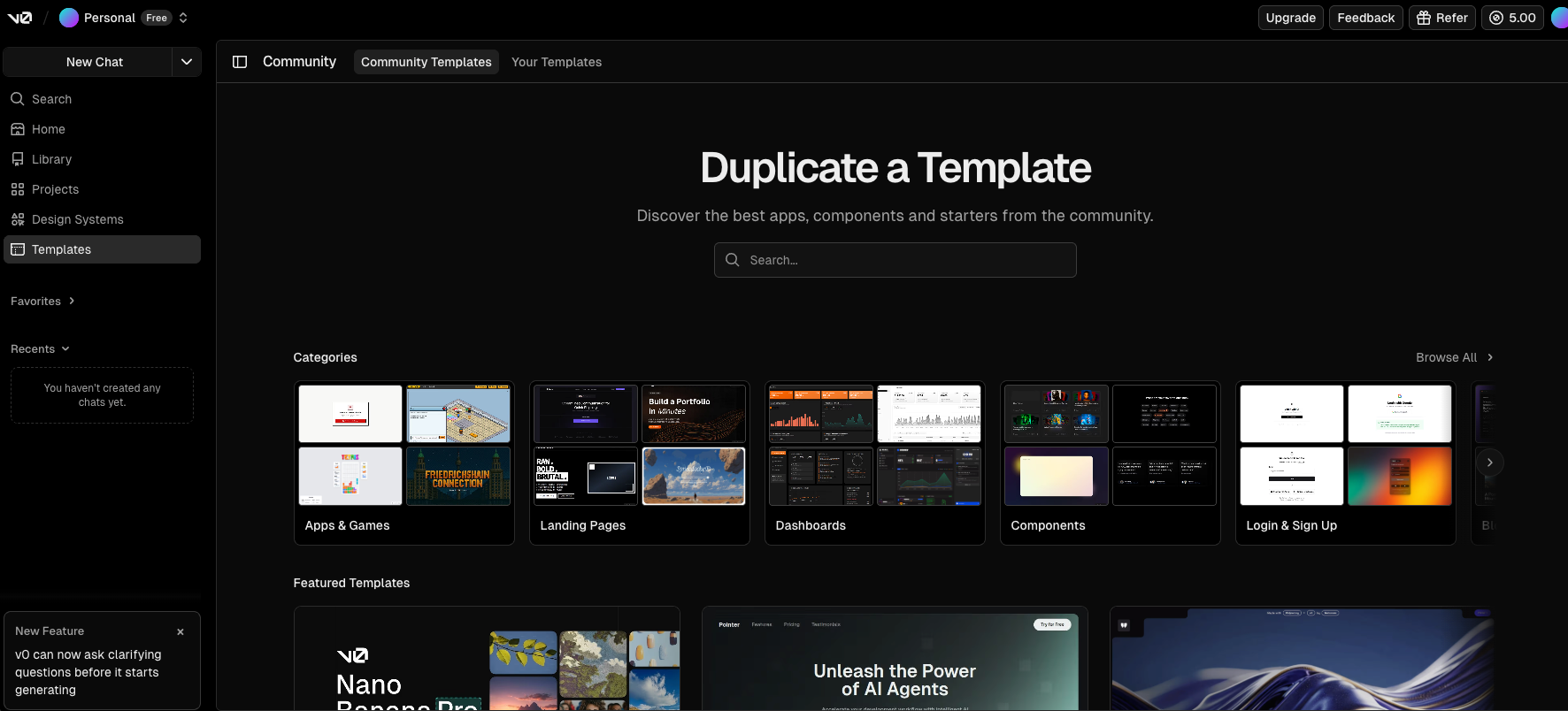
V0 by Vercel is a component factory that generates production-ready React UI components. You describe what you want or upload a screenshot, and v0 outputs multiple variations of that component with Tailwind CSS styling and TypeScript support built in. Use v0 when you need specific UI components but don't want to build them from scratch.
What makes v0 different is its focus on quality over scope. This isn't an app builder - it's a specialized tool for creating individual UI components that look polished and use modern best practices. Frontend developers working on existing projects can generate landing pages, navigation bars, forms, modals, or card layouts and drop them directly into their codebase.
v0 pairs particularly well with tools like Bolt.new, or Lovable.dev. Use those for a full app skeleton, then reach for v0 to swap out those bland, generic components with high-quality versions. With Vercel integration, you get instant deployment for testing your components in isolation.
However, v0 cannot offer database integration, no API handling, and no application architecture. So if you're building an entire app from scratch, start with a full-stack tool and use v0 for any components that just need a bit of polish.
Features
- Auto-generate React components from descriptions or screenshots
- Multiple design variations per prompt
- Tailwind CSS styling is built in
- TypeScript support with proper typing
- Direct integration with Vercel for deployment
- Screenshot-to-code conversion
| Pros | Cons |
| ✔ Exceptional UI quality ✔ Multiple variations per prompt eliminate iteration cycles ✔ Clean, readable code that's easy to customize ✔ Fast deployment to Vercel for testing | ✖ v0 only does frontend components ✖ You need to know your React and Tailwind ✖ Not a standalone tool ✖ Works with Vercel's design aesthetic and component patterns |
Why I picked v0 by Vercel
v0 is particularly good at making high-quality UI components. If you need some frontend pieces without the whole app, v0 can help you out.
5. Tempo Labs - Best for Team Collaboration
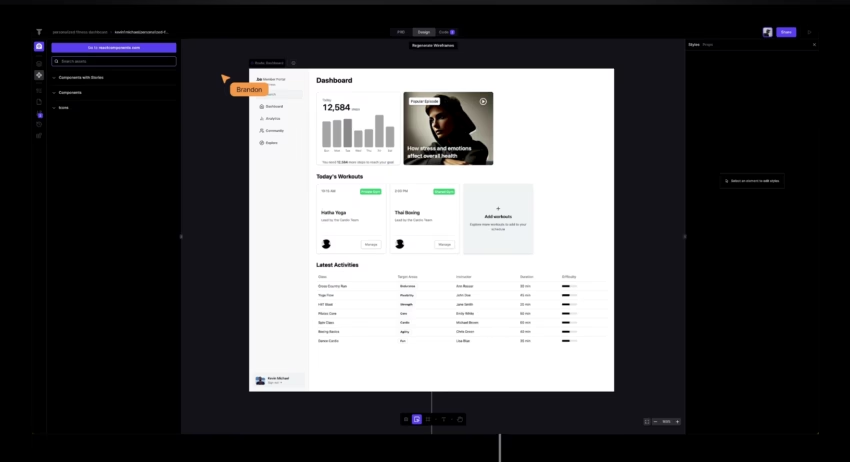
Tempo Labs is the go-to for cross-functional teams building React apps. It brings together product requirements, design, and code in one interface that lets you edit in real-time - and it's multiplayer. Forget switching between Figma, Notion, and your IDE, because everyone works in the same tool.
Use Tempo Labs when you have product managers, designers, and developers working on the same project, where switching between tools is slowing you down. Its drag-and-drop interface lets non-technical team members create prototypes while still giving devs full access to the code through integration with VS Code and GitHub.
But don't bother if you're not building with React, Vite, and Tailwind - those are the only stacks it supports. If your project uses Vue, Angular, or any other framework, Tempo won't work - and the collaboration features will just get in the way for solo developers or small projects.
Features
- Real-time multiplayer editing with role-based views (PRD, Design, Code)
- Auto-generated Product Requirements Document from team input
- Drag-and-drop visual editor for non-technical contributors
- Community template library
- VS Code and GitHub integration
| Pros | Cons |
| ✔ Brings together product, design, and development workflows ✔ Non-techy team members can contribute through visual editing ✔ Auto-generated PRDs make documentation a breeze ✔ Seamless handoff between design and code means less context loss | ✖ Only works with React, Vite, and Tailwind ✖ You need some technical know-how ✖ Collaboration features add a layer of complexity for solo devs and small teams ✖ The three-pane interface can feel cluttered when working on detailed code |
Why I picked Tempo Labs
I picked Tempo Labs because it solves the coordination problems that hold back cross-functional teams, and gives a structured way for everyone to follow. The built-in PRD generator creates a well-set-out document to reference. It's the one-stop shop for teams who need to enhance productivity while working together on a React project.
7. Base44 - Best for All-in-One Simplicity
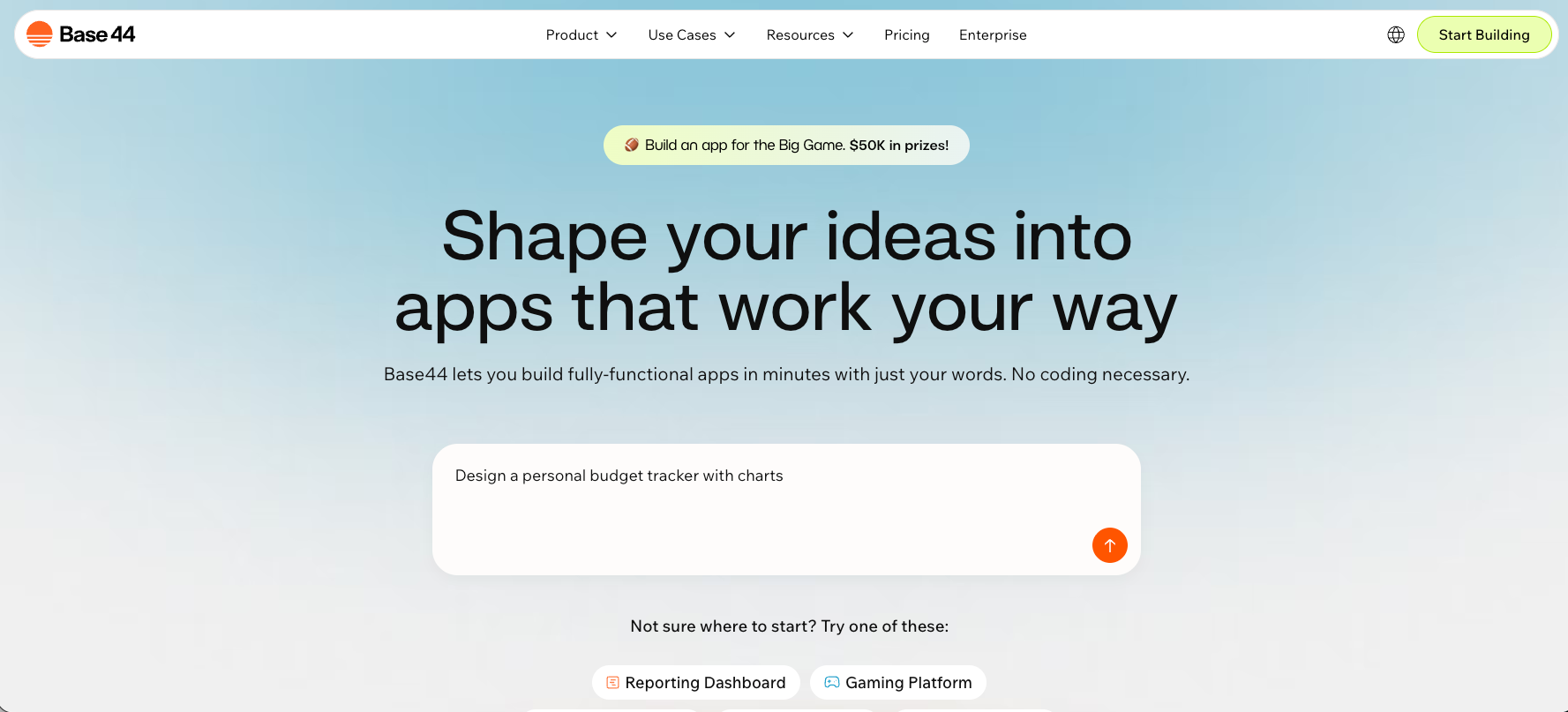
Base44 (acquired by Wix) provides a fully integrated backend, database, authentication, and hosting in one platform. You don't need to set up external services like Supabase - it all just works out of the box.
What makes Base44 stand out is bundled simplicity. Most vibe coding tools require you to connect separate services for database, authentication, and hosting. Base44 handles all of that internally. That's perfect for non-technical users who just want everything included without having to worry about managing multiple integrations.
But that convenience comes with a cost: the back-end can't be exported, which makes migration to a custom infrastructure a bit of a nightmare later on. So, if your prototype takes off and you need a custom architecture, you'll likely need to rebuild from scratch rather than just migrating.
Use Base44 when you want maximum simplicity for prototyping, and you're okay with the lock-in tradeoffs. Don't use it for projects that might need custom backend logic or migration to AWS, Google Cloud, or self-hosted infrastructure.
Features
- All your back-end, database, auth, and hosting wrapped up in one neat package
- No external services to bother with
- Wix-backed for stability
- One-click deployment
| Pros | Cons |
| ✔ Bundled into one package, eliminates the hassle of service integration ✔ No external dependencies ✔ A much simpler workflow for non-technical users ✔ Wix's stability gives you peace of mind | ✖ Back-end is locked in so tight (can't export) ✖ Less flexible than modular approaches ✖ Migration to a custom infrastructure is hard ✖ Wix's 'opinionated' tech stack leaves little room for developers to get creative |
Why I picked Base44
Base44 gives non-technical users the simplest possible experience. Jjust be aware of the lock-in trade-offs before committing to something that might need migrating later.
7. Dyad - Best for Privacy/Local Development
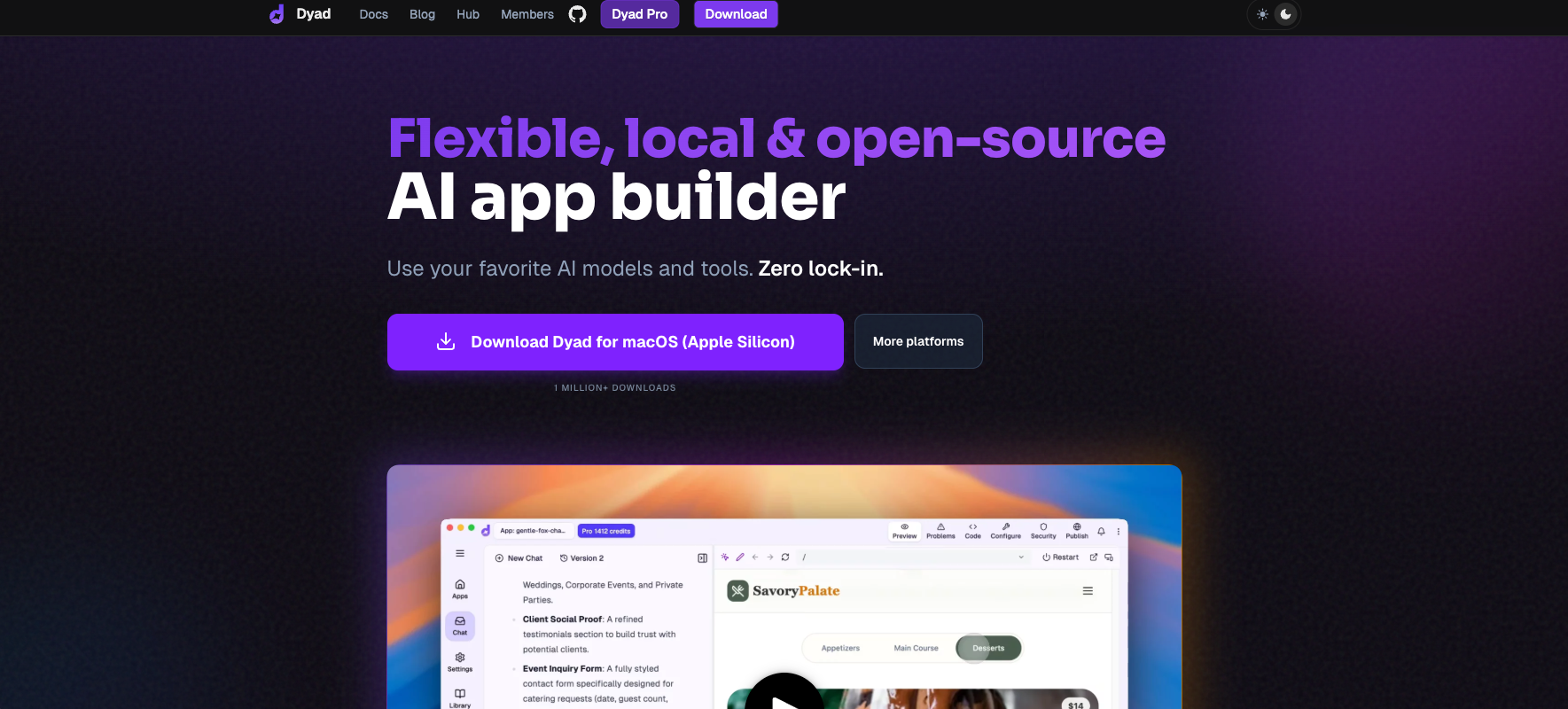
Dyad is an open-source beast that lets you run everything entirely on your machine. It can support any AI model, so you can use Claude Code, GPT, Gemini, or any other AI model, including free options like Gemini's API.
What sets Dyad apart is the fact that it's a total local-first affair - which means your data stays private, and you get total control over your AI model. Other tools make you send your code to their servers for processing - Dyad does everything in-house. This is perfect for workflows that are focused on privacy, or for working with code that you can't share with anyone else.
Dyad being open-source means you get to keep the code for yourself, and you can even modify the tool if you need to. Plus, you can use your own AI API keys, so you can use free models to keep costs down.
But the trade-off is that you'll need to do a bit more legwork than with cloud tools like Replit or Bolt.new. You'll need to set up deployment all by yourself since there's no instant cloud hosting to fall back on. The UX isn't quite as slick as commercial tools either, but at least you get more control.
Use Dyad if data privacy is top of your list, or you're on a budget and want to use free AI models, or you need total code ownership. Don't use it if you want the absolute easiest setup possible - cloud tools are a lot faster to get up and running with.
Features
- Everything runs entirely on your machine for complete data privacy
- Supports any AI model (Claude Code, GPT, Gemini, etc.)
- Open-source and totally yours
- Free Gemini API option available for budget projects
| Pros | Cons |
| ✔ Complete data privacy ✔ Can use any AI model you like ✔ Open-source and totally yours ✔ Free Gemini API option for budget projects | ✖ Needs a bit more setup than cloud alternatives ✖ No instant cloud hosting baked in ✖ UX isn't as slick as commercial tools ✖ Local-first approach adds deployment complexity |
Why I picked Dyad
Dyad is my go-to for anyone who needs data privacy, who's on a tight budget and wants to use free AI models, or who needs total control over their code.
8. Mocha - Best for Non-Technical Founders
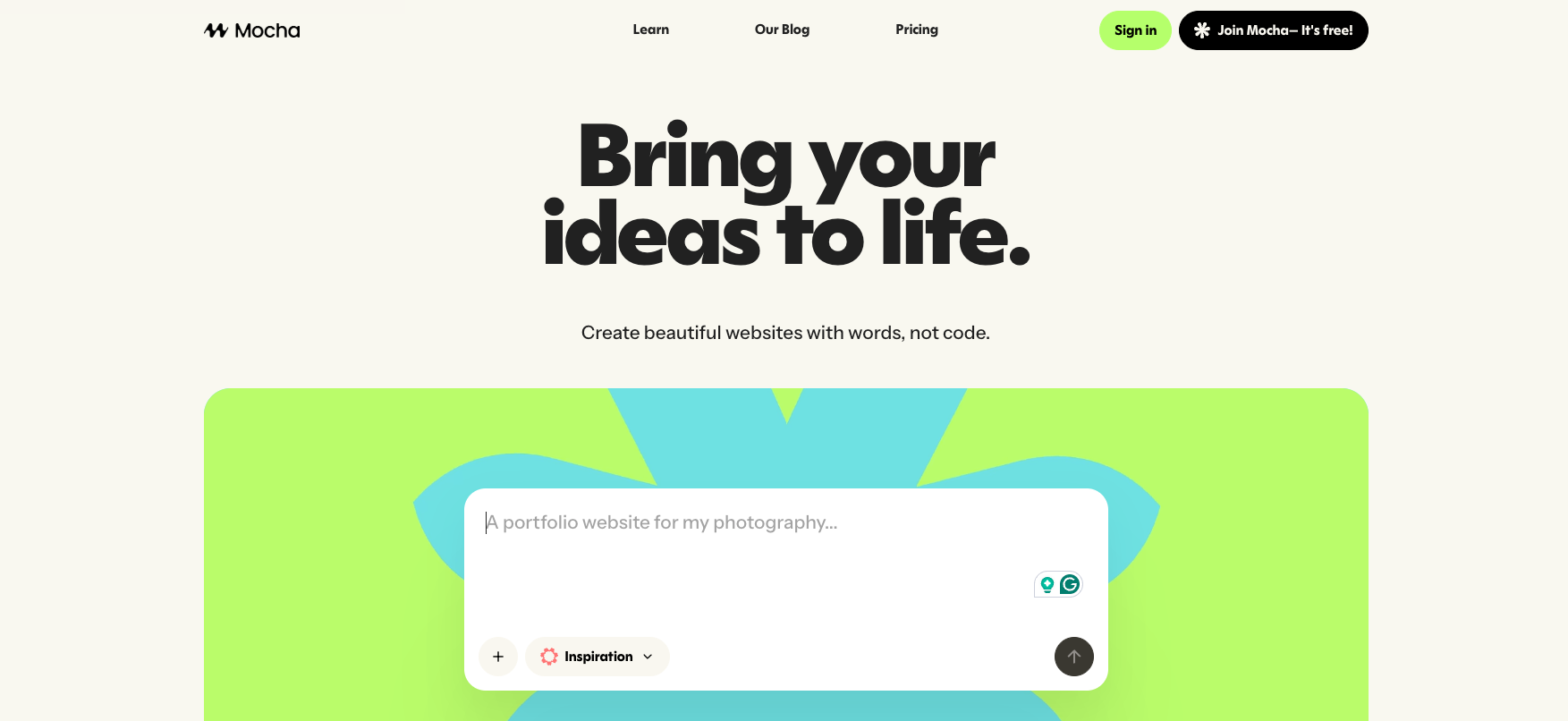
Mocha is a full-stack platform built specifically for "the 99%" (Y Combinator-backed) with zero configuration needed. It's all about eliminating every last technical barrier. Authentication, database, back-end, and hosting all work straight out of the box - no setup needed. You can just describe what you want, and Mocha will whip up a working app.
What makes Mocha stand out is that it's laser-focused on making things as simple as humanly possible. Other tools require some configuration, or at least a basic understanding of how services tie in. Mocha handles everything for you, so you can just focus on making your concept work for your precise business needs.
However, this simplicity comes with less flexibility. Mocha uses an opinionated tech stack that gives you less control than tools like Lovable or Bolt.new. It's simpler, but less customizable. If you need specific integrations or custom architecture, you'll hit limitations.
Use Mocha when you're a non-technical founder who needs to validate an idea without any technical headaches. Don't use it if you're an experienced developer who needs control over the tech stack, or if your project is going to need custom features that aren't available in the templates.
Features
- Zero config setup needed
- Authentication, database, back-end and hosting all taken care of
- Template-based app generation
| Pros | Cons |
| ✔ No configuration hassle (plug and play) ✔ Built-in auth, database, backend, and hosting means you don't have to mess around with integrations ✔ Quick setup | ✖ The tech stack is pretty opinionated ✖ Limiting to more experienced devs who are used to customising ✖ Features are simpler than other tools (e.g., Bolt or Lovable) ✖ Custom requirements might need a rebuild |
Why I picked Mocha
Mocha basically has one of the lowest barriers to entry for founders who don't know the first thing about tech. You can just validate ideas without needing to set up any tech. Yes, you do have to trade off simplicity for flexibility, but for testing ideas, that's a good tradeoff.
How to Choose the Vibe Coding Tool for Your Needs
Choosing the best vibe coding tool depends on what you're trying to validate and how technical you are.
Here's a practical step-by-step framework.

Step 1: Understand Your Goal
If you just need to validate a concept, choose tools that are all about speed over control. Lovable, Replit, or Mocha are your best bets. If you're building something to show stakeholders or get feedback, design-first tools like Bolt.new or v0 are a good fit.
For teams working on a product, design, and developer collaboration, Tempo Labs makes sense. And if you care most about privacy or cost control, Dyad's local-first approach is the way to go.
Step 2: Match the Tool to Your Technical Comfort
If you're not a coder, start with Lovable, Mocha, or Replit. These have the lowest barrier to entry.
If you're a designer already working in Figma, use Bolt.new or v0 to turn your designs into working prototypes.
Step 3: Test with a Real Project
Most tools have free tiers. Conceptualize a small project (e.g., a task manager, basic dashboard, or CRUD app) with these free startup GPT tools, then build it on 2-3 vibe-coding platforms.
This will show you the right tool, and the workflow actually lives up to the hype.
Step 4: Plan Your Exit Strategy
Before you even start building, figure out: is this test code just a prototype, or are you planning to go live with it?
If it's just a prototype, any tool will do. But if you're planning to vibe-code full-stack web apps to production, you're going to need to bring in expert AI developers to fix the security, architecture, and infrastructure.
Most companies use vibe coding to validate ideas quickly, then bring in vetted developers from teams like DevTeam.Space to rebuild for commercial use.
How Expensive is Vibe Coding?
Vibe coding is fast and cheap for validation. You can prove an idea works for a few hundred dollars and a few days of work.
For commercial products, professional development is a major investment. Be prepared to budget between $50,000 and $200,000+ for a properly built MVP - this all depends on how complicated it is.
The hybrid approach is probably the best route.
Vibe code a few things to prove the concept, then hire some vetted developers from companies like DevTeam.Space to take it to the next level. For example, in our company, we have rebuilt vibe-coded prototypes into production-ready applications with proper security, architecture, and infrastructure.
This way, you can validate your ideas in a cost-effective way before you've sunk a huge amount of money into full development.
When to Stop Vibe Coding and Hire Developers
So, you've built a vibe-coded prototype and validated your idea. Now you’re stuck at the transition point.
Here are some clear reasons you need them to take over:
- Your prototype validated the idea, and you have users wanting to pay: This is the most important signal. When people are willing to exchange money for your product, you need a software development team to get it production-ready.
- You need features beyond what the template can do: AI tools can work within the templates, but when you need custom business logic and complex tasks, you need developers who can understand your specific needs.
- Security, compliance, or legal requirements are a priority: If you're working with user data, payment information, or in a regulated industry, you need security audits and proper implementation.
- You're submitting to App Store or integrating payments: Both require professional implementation that Vibe coding tools can't handle.
- Performance and scaling become important: Vibe-coded apps work for small user bases but fail under production load.
- You can't fix bugs because the code is "gibberish”: When errors occur, and you can't understand or debug the code, it's time for developers to check your code quality.
What professional developers provide:
- Security audits and best practices implementation: They identify vulnerabilities like SQL injection, XSS attacks, and CSRF that tools miss entirely.
- Proper architecture that scales: They design systems that handle thousands of users efficiently, not just the 100 test users your prototype supports.
- Professional UI/UX for customer-facing products: Vibe-coded interfaces work for prototypes, but commercial products need polished, tested user experiences.
- App Store submission expertise: They navigate Apple's requirements, handle rejection responses, and ensure compliance.
- Payment processing integration: Stripe, PayPal, and other payment systems require proper implementation that protects both you and your customers.
- Custom business logic implementation: Your workflows, rules, and processes need custom code that templates can't provide.
- Long-term maintainability and code documentation: They create codebases you can maintain and extend over years, not just weeks.
Start with Vibe Coding, But Don’t Stop There
Vibe Coding tools excel at one thing: turning ideas into prototypes fast. They do not produce commercial-grade products, despite marketing claims suggesting otherwise.
Vibe coding is a great way to get some rapid feedback on an idea, but it's not going to replace proper professional development for commercial products.
Here's a much more sensible way to do things:
- Everpot (professional specifications) - Turn your concept into clear requirements and architecture plans
- Vibe coding (rapid prototype) - Build a working prototype to validate the idea with real users
- DevTeam.Space (production development) - Rebuild with vetted developers for commercial launch
Validate your ideas quickly, before spending a ton of money on full development. Once you're convinced that there's a market for it, you can then hire expert developers to get it into production.
FAQs About Vibe Coding Tools
No. Vibe coding tools are just for getting a quick prototype up and running. Once you've got something close to a proof-of-concept, you'll need to hire developers to sort out the security, architecture, and other components to make sure your product is production-ready and can handle actual user workload.
Not for basic prototypes. Vibe coding can be straightforward for tools like Lovable, Replit, or Mocha that can produce simple apps. But as soon as you start trying to fix bugs or customize the code, this is when you will need to hire developers. For anything beyond basic prototyping, you need developers who understand the architecture.
Vibe coding tools let you generate prototypes with code that you can't actually verify or maintain, so getting them out to customers requires developer expertise. On the other hand, AI coding assistants are designed to help professional developers work faster with features that can speed up or optimize the programming process.
Many vibe coding tools offer free tiers to test concepts, but most have basic plans that cost $20 to $35 per month. Costs start building up once you factor in hosting costs, third-party integrations, and eventual developer expenses once you decide to deploy your prototype. Hiring a developer team is where the real investment comes in, as prototypes may cost around $50,000 to $200,000, depending on growing complexity.
Vibe coding can't handle more robust and complex processes. Anything related to scaling use, like server setups and databases, as well as custom business logic and payment processing, as well as security audits and authentication requirements fall beyond the capabilities of vibe-coding.
It also can't handle things like making your app perform well, making sure you're meeting all the compliance requirements, or making sure your app can handle a lot of traffic. These require experienced developers with domain expertise and understanding of production systems.
Yes, for customer-facing products. Use vibe coding to knock out a prototype and get some test users in to give it a go, then get some developers in to check everything's secure and to properly set up a reliable infrastructure for when it goes live.
Vibe coding accelerates validation and reduces initial costs, but programmers make it commercially viable and production-ready. The key here is to use a hybrid approach: vibe code to figure out if it’s viable, then get software development services providers to make it real.
Pick a tool that matches the thing you want to achieve and your level of technical know-how. Test a couple of tools on a small project and see which workflow works for you before committing to one tool.
For example, you can use Lovable, Mocha, or Replit for concept validation when you're non-technical. If you're using Figma and want a design-first kind of workflow, go with Bolt.new or v0. If you need to collaborate with your team on a product, design and development project, then Tempo Labs is worth checking out. If you need to keep things private or control costs, Dyad might be a better option.
The sad truth is that when you get to this point, you're usually stuck because only the tool can fix it. You can't meaningfully intervene because the code is unfamiliar to you. You don't understand the complex structure (backend, frontend, database, server configurations), so you can't debug issues manually.
This is the exact moment when you need to hire developers to take over. They can read that generated code, spot the problem, and either fix it or rebuild it properly.

Alexey Semeney
Founder of DevTeam.Space


Hire Alexey and His Team To Build a Great Product
Alexey is the founder of DevTeam.Space. He is award nominee among TOP 26 mentors of FI's 'Global Startup Mentor Awards'.
Alexey is Expert Startup Review Panel member and advices the oldest angel investment group in Silicon Valley on products investment deals.